The Great Hardware Shuffle: Three NAS Builds in Three Months
Let me pause for a second… this is a lot to unpack.
Not long ago, I was living a happy, content life. My janky-ass NAS chugging along nicely. My beautifully cable-managed, premier bang-for-the-buck gaming PC running smoothly and quietly. Me being zen in computer heaven.
Then, a series of events started to happen.
It All Started With an M1 Mac Mini
I inherited an M1 Mac Mini. Now, I’ve been a Mac user for a very long time - in fact, the professional part of my IT shenanigans started as a repair technician at an Apple Premium Reseller. I used iPhones and iPads ever since, and only stopped using Macs when my maxed-out MacBook Pro from 2013 stopped getting security updates. I wasn’t willing to pay what felt like ridiculous amounts of money just for “having a computer,” especially since I always had a Windows PC for gaming and now had a ThinkPad from work.
So naturally, I got accustomed to our new household addition very quickly. Only then I started to notice that it seems I mostly only used my gaming PC for daily driving, not really for gaming. The small inconvenience that my monitor has three video inputs but only two USB connections to its KVM functionality started to add up to the nagging minutes I had to wait for Windows and game updates every time I did eventually fire up the gaming PC.
The next event in this series was the long-awaited fiber internet installation. Cloud gaming, like NVIDIA’s GeForce Now - which I’d always rejected because of poor latency and bad quality - suddenly became feasible. Sessions of playing Cyberpunk 2077 on raytracing “psycho” setting, something my Radeon RX 6750 XT was far from capable of, further took away from the little time I spent with my actual gaming PC.
The Brilliant Plan (That Wasn’t)
Then came what I thought was the big revelation.
I’d been experimenting with local LLM inference for a while, but without much success, being restricted to throwaway stuff from work like a Quadro P2000. You get something running, but you don’t get very far on a nearly decade-old card with 5GB of VRAM.
It came to me almost like an epiphany: “Just stick the Radeon into the NAS and chug away with 12GB of VRAM! ROCm for the win!”
I installed Ubuntu on the gaming PC, spun up an Ollama container with the HSA_OVERRIDE_GFX_VERSION=10.3.0 parameter, and it worked like a charm. Then I realized my NAS only has a single PCIe slot, which was already occupied by the HBA.
I hesitated for about three seconds.
Then I convinced myself that using the gaming PC as-is would be brilliant because it has a nice case with plenty of drive bays, tons of case fans, a good power supply, and a way faster CPU and RAM wouldn’t hurt either. And to be fair, the thing I called my NAS until that point was so hacky, even I was quietly convinced that something would fail catastrophically and, most importantly, without good reason.
I quickly glossed over the fact that doing so would add more than 20W to my idle power consumption and started swapping drives.
When Physics Disagreed
The drive swap went smoothly. I schlepped the heavy case downstairs to connect everything up. This is where the drama started to unfold.
I knew it wouldn’t fit into the network cabinet because the case was too deep, but I figured I could just put it on top vertically. It didn’t fit. It just barely didn’t fit. It also didn’t fit on the cabinet next to the network cabinet because it interfered with the doors. It didn’t fit on the floor.
At one point I even placed it on the washing machine behind the laundry basket, which my wife immediately dismissed. A good thing in hindsight, because mechanical hard drives on a washing machine in spin cycle is clear Type 3 fun.
When I finally found a place behind the door, installed the door bumper so you don’t slam the door into the PC every time you enter the room, and finished routing network and power cabling behind several household appliances, I finally sat down to test some LLMs.
I loaded up a model, typed in a prompt, the tension rose…
Only to be ruptured by loud beeping noises from downstairs.
Who could have known? The UPS overload protection tripped, and my terminal fell silent. Only the penetrating beeping prevailed.
I can’t even tell you how I felt in that moment, because my brain is so desperately trying to repress the memory of that day.
The Temporary Solution
A couple of days later, I got my composure back, powered the NAS from the home battery storage (which doubles as a UPS), and actually used this setup for a couple of weeks. While obviously totally overpowered, it all worked as intended.
Only I noticed that immediately after the hardware swap, I kept getting container health alerts from Netdata multiple times every day, directly followed by “all good now” messages. Although the issue didn’t seem to produce any outages, I nevertheless tried to diagnose it.
Using the log output Dockge provides didn’t help much because I rarely managed to catch the issue in time. This threw me down a completely different rabbit hole of installing Graylog, which I’ll probably cover in another blog article.
I tinkered with it for a while, unsuccessfully trying to bring down the idle power consumption. Eventually I decided the power consumption wasn’t worth it and went back to my old platform.
The Return… And Then Some
I migrated the Home Assistant Assistant (I’m not making that one up, it’s actually called that way) and Paperless-GPT to OVH AI Endpoints. I put the old motherboard back into the “new” case, and the container health warnings went away.
I thought about going back to my old method of “retaining the motherboard” but hesitated. The 3D printed “test bench” I was using was almost wrecked (I’d never seen such bad layer cohesion in a bought 3D print - the whole piece was a complete ripoff), and the HDDs had been screwed together with parts of scrap plastic, while the SSDs were just dangling around on their SATA cables.
The next thing that happened was the ridiculous DDR5 price hike, which finally helped me overcome the emotional hurdle of selling the remaining parts of my gaming PC. Something that was strangely difficult for me, having always possessed a gaming PC for more than three decades - the better part of my life now.
The Research That Led Nowhere
The prospect of soon earning some not insignificant amount of money immediately made me justify being completely fed up with the “PC behind the door” situation. I jumped into researching case options for a proper rack-mounted NAS the minute I decided to sell the PC components.
So I set up a research prompt and let Claude do its thing.
Claude came back with essentially empty hands. Everything it researched was either not inside the specs I gave it or hallucinated. After giving it a couple days of occasional research, I concluded that there are no sub-30cm rack mount cases that can hold the amount of hardware I wished for. I considered buying an additional JBOD, but even that seemed difficult under the space constraints I had.
The 5€ Decision That Haunted Me
Then I remembered this marvel of technology. A thing I’d found years ago before buying that horrible 3D printed thing because it was 5€ cheaper.
I don’t even want to use the word “hindsight” anymore.
I initially planned to buy these nice PCIe slot HDD holders, which would have been a really compact but rather pricey solution, costing around 10€ per piece. I was pondering over different HDD mounting options like drive cages and brackets and the likes, when I noticed that the rack shelves I was using have these very convenient “mounting holes.”
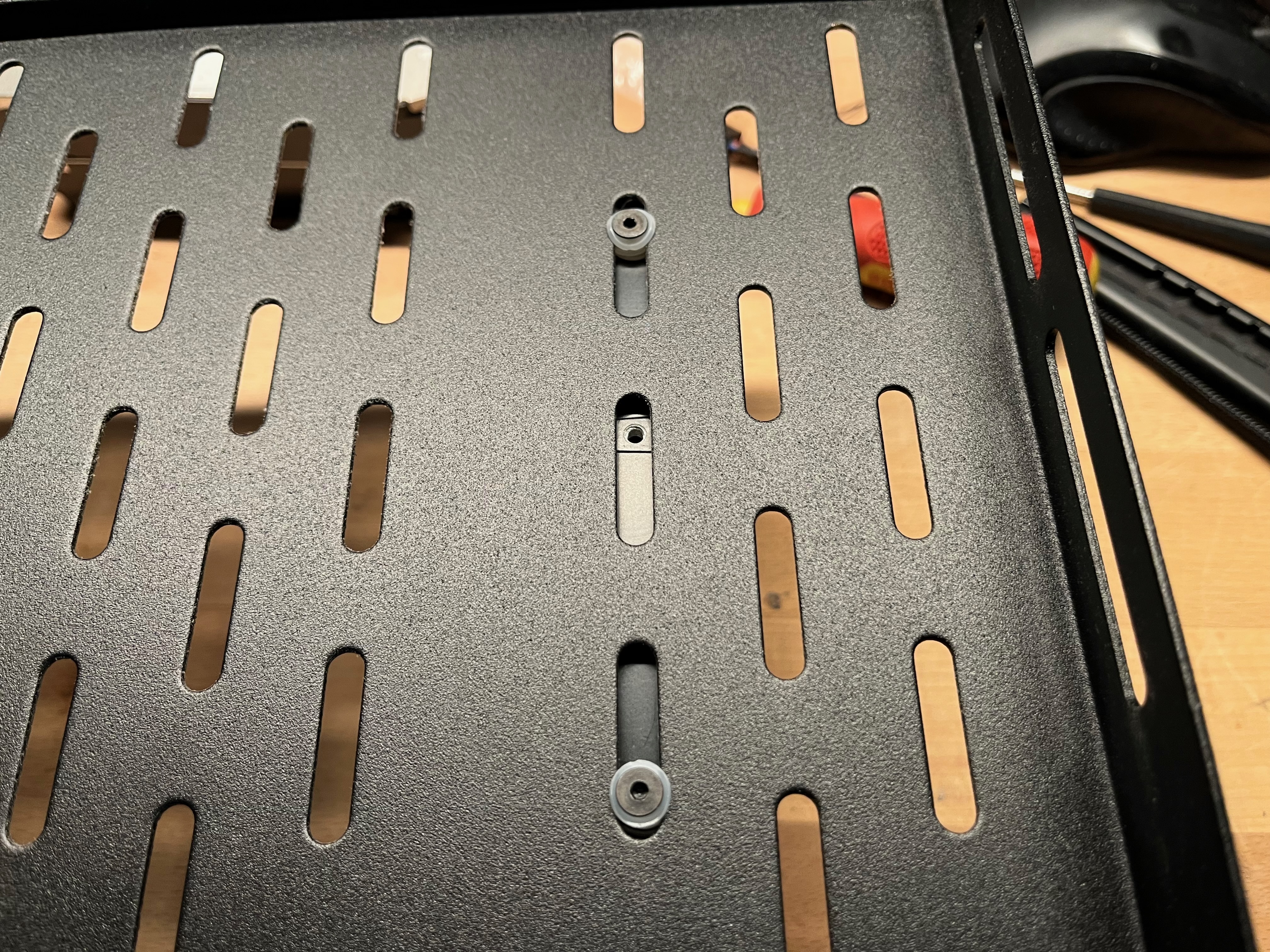
One Amazon Prime delivery later, I was happily mounting hard drives beneath the rack shelf. In the end, I had to add some nylon washers because the screws I ordered were too long, because why measure anything when you can just eyeball everything, right? At least I can tell myself the washers are for vibration isolation.
The Final Form
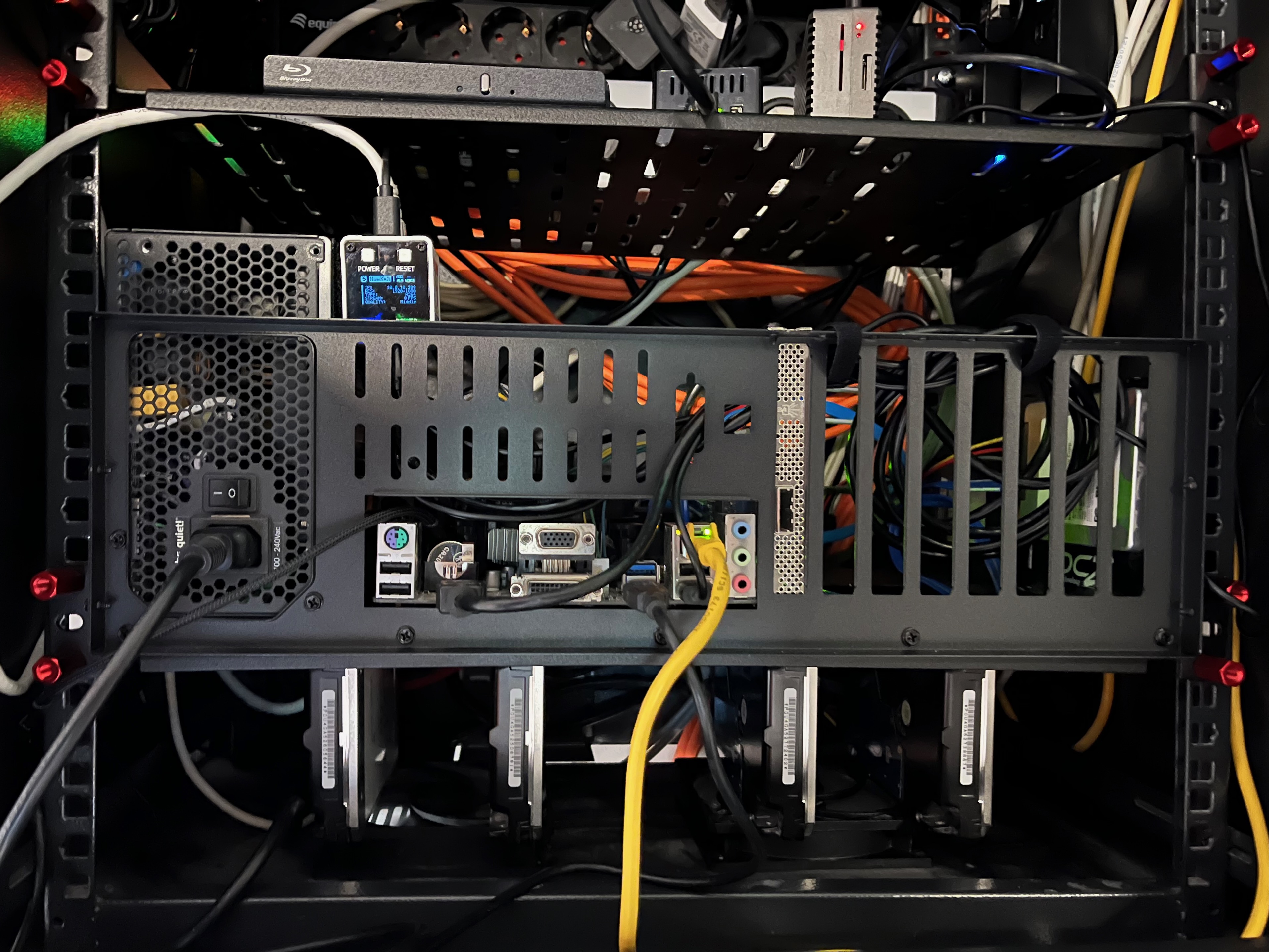
The test bench motherboard holder perfectly fit into the rack shelf after removing the screws that were sticking out the side, and everything came together perfectly. I installed four 120mm case fans in the designated holes of the network cabinet, hooked them up to the mainboard with some extension cables, tidied up the whole rack, and stood back, admiring what I’d accomplished.
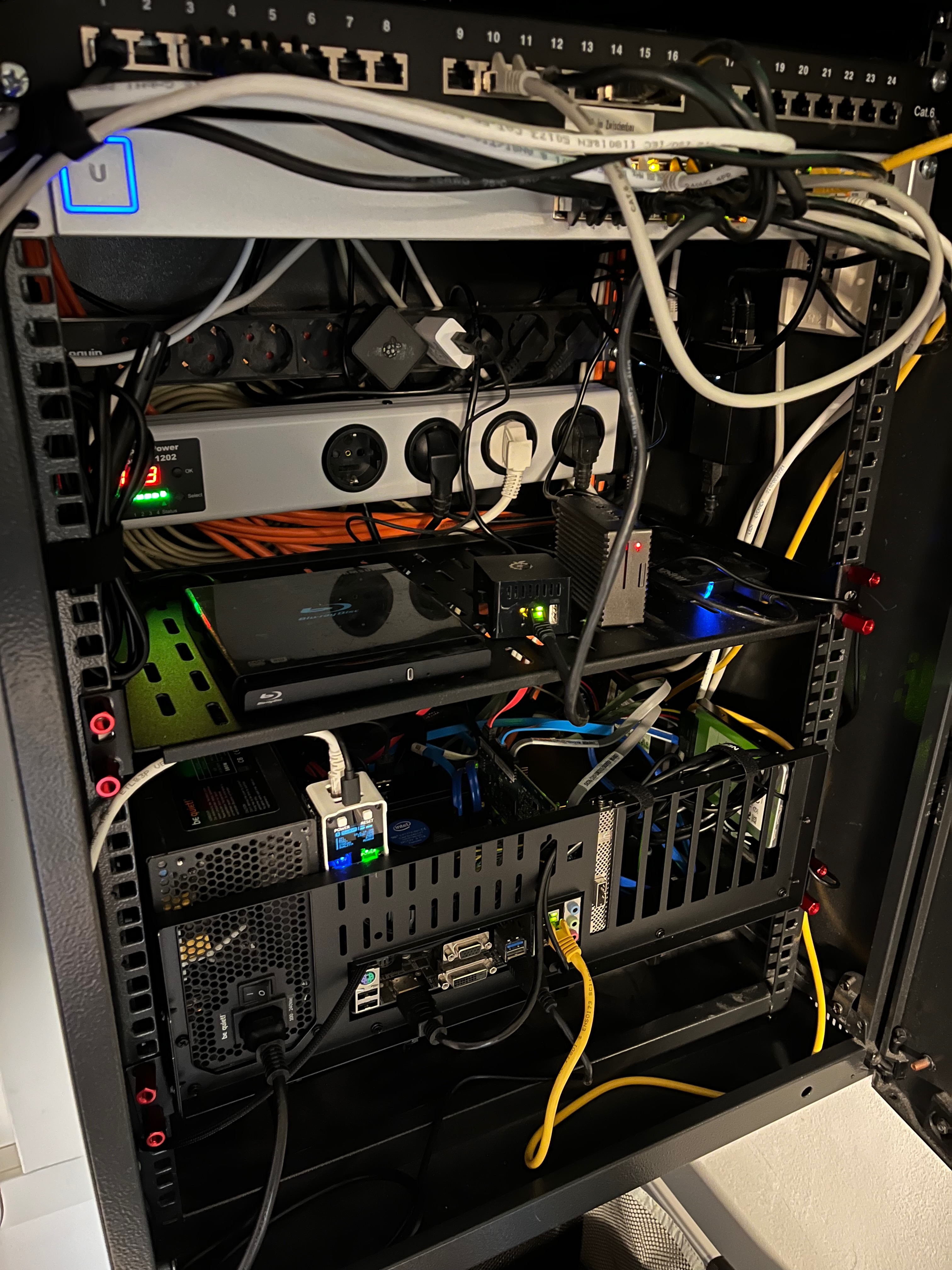
The third hardware swap within mere months was done, and I was really happy with how it turned out in the end.
Current State of Affairs
Platform: Back to original motherboard → Intel i5-7400T, 32GB DDR4
Case Solution: Rack shelf with underneath HDD mounting → 120mm fans in cabinet, test bench holder for motherboard
Storage: HDDs screwed directly to shelf “mounting holes” → SSDs properly mounted this time
Power: Back to proper UPS → Because no more burning through kilowatts while yelling at Home Assistant
Container Management: Dockge on TrueNAS Scale → Health alerts gone after hardware revert
LLM Inference: Migrated to OVH AI Endpoints → Home Assistant Assistant and Paperless-GPT
Idle Power: Back to reasonable levels → 20W+ savings vs gaming PC setup
Gaming PC: Listed on eBay → After 30+ years of always having one
What’s Next
The setup is finally stable, properly rack-mounted, and not living behind a door with a bumper. The electricity bill is back to reasonable levels. The container health alerts are gone. And I’ve learned that sometimes the solution to “I need more compute” isn’t “throw gaming PC hardware at it.”
I’m still planning to write that Graylog article - the log aggregation rabbit hole was actually productive, even if the reason I went down it turned out to be hardware-related all along.
And who knows? Maybe I’ll miss having a dedicated gaming PC. But for now, GeForce Now and the M1 Mac Mini are doing just fine.
Have you ever “upgraded” your homelab only to end up right back where you started - but with three months of chaos in between? What’s the most ridiculous hardware decision you’ve made that seemed brilliant at the time?